


Azure Cloud Shell
PowerShell (or Bash) in the browser, already signed in to Azure. No
module installs, no Connect-AzAccount. Handy in a pinch; the
instructor still prefers local PowerShell because the browser
terminal can be clunky (text overwriting text, clear the screen and
carry on).
Opening it
- Azure portal → the
>_icon in the top bar, next to the bell. - Straight to it: shell.azure.com.
- The Azure mobile app has it too, for a quick fix from a phone.
- Also reachable from VS Code and Windows Terminal.

Storage: ephemeral or mounted
The course says Cloud Shell needs a storage account. Not anymore (since May 2024). First launch offers two options:
| Option | Files | Cost |
|---|---|---|
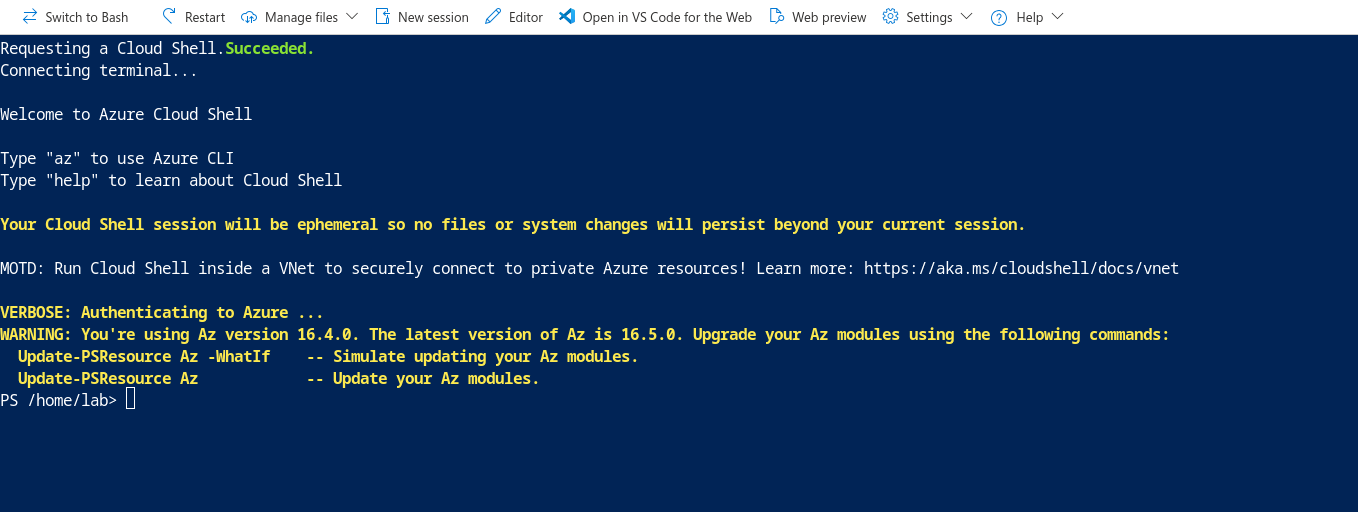
| No storage account (ephemeral) | Deleted when the session ends | Free |
| Mount storage account | $HOME and clouddrive kept between sessions |
Normal Azure Files storage |
Ephemeral is the quick choice for running commands. Mount storage when scripts or files need to still be there next time.
Other limits:
- Times out after 20 minutes with no typing; the session and anything not on mounted storage go with it.
- The subscription needs the Microsoft.CloudShell resource provider registered (Subscription → Resource providers).
- 20 concurrent sessions per tenant.
exitends the session; the storage choice sticks. To change it (ephemeral to mounted storage), Settings → Reset User Settings, which reruns the first-launch setup.
PowerShell vs Bash
Cloud Shell runs on a Linux container (Azure Linux). Two shells, switched from the toolbar (Switch to Bash / Switch to PowerShell):
| Shell | Azure CLI (az) |
Azure PowerShell (Az cmdlets) |
|---|---|---|
| PowerShell | Yes | Yes |
| Bash | Yes | No |
The course calls Azure CLI “basically Bash”. It isn’t: Azure CLI is
its own cross-platform tool (az vm list, az group create) that
runs in any shell, PowerShell included. Its syntax just feels like
Linux. Azure PowerShell is the Az module (Get-AzVM), verb-noun,
returns objects. So the PowerShell shell gets both.
az group list -o table     # Azure CLI
Get-AzResourceGroup        # Azure PowerShell
For AZ-140, focus on PowerShell, but don’t skip Azure CLI: the skills outline lists automating host pools and session hosts “by using PowerShell, Azure CLI, ARM templates, and Bicep files”.
What’s already there
- Az PowerShell and Azure CLI, kept updated. The welcome banner may
still nag about a newer Az version:
Update-PSResource Az. In an ephemeral session the update is gone next time. - A basic set of Microsoft Graph PowerShell modules, Exchange Online
PowerShell, AzCopy, Bicep, git, and editors (
code,vim,nano). Azure:drive (PowerShell only):cd Azure:browses subscriptions and resources like folders;cd ~goes back home.- Same cmdlets as locally:
Get-Command -Noun *user*still findsGet-AzADUser.
Quirks
- Tab completion lists instead of cycling. Local PowerShell steps
through matches one Tab at a time. Cloud Shell’s PowerShell prints
every match at once, so
Get-Az+ Tab floods the screen. Type more of the name first. - Signed in as the portal user, with that user’s permissions. In the shell itself it’s a regular Linux user (no root).
- Windows: Ctrl+C copies selected text (with nothing selected it sends a break, like stopping a command). Paste is Ctrl+V or Shift+Insert.
 My Computer


 Getting around


